Python 991 Manual do Utilizador Página 52
- Página / 60
- Índice
- MARCADORES

- Responder LC Model 991 1
- Security and Remote Start 1
- Owner’s Guide 1
- Contents 3
- Government regulations 5
- Control Center 6
- WARNING! 6
- Warning! Safety first 7
- What is included 10
- Important information 10
- Replacement remote controls 11
- Out of Range Notification 11
- System maintenance 11
- Low battery indicator 12
- Charging the Battery 12
- Battery Replacement 13
- Responder LC 2-Way 14
- LC 1-way companion 15
- Using the system 17
- Feedback 18
- Valet Take-Over 19
- Car finder 21
- Cabin temperature 22
- Additional arming features 23
- System override 25
- Modified Arming Modes 26
- Disarm Features: 27
- Manual Transmission 28
- Timer mode 29
- Turbo Timer mode 30
- Runtime check 31
- Runtime reset 31
- Details: 33
- Auxiliary features 34
- Remote setup options 36
- Menu option descriptions 37
- Sensor adjust 39
- Pair Remote Mode 39
- Demo Modes 39
- Safety features 40
- Diagnostics 41
- Disarming 42
- System status chirps 42
- Table of zones 43
- Remote Start 44
- Owner recognition 45
- Rapid resume logic 45
- Power saver mode 46
- Programming options 47
- Siren tones and chirp volume: 48
- Comfort closure 48
- Power Window Control: 50
- Ultrasonic Cabin Sensor: 50
- Glossary of terms 51
- Valet Button: 52
- Warn Away® Response: 52
- LCD layout 53
- Quick reference guide 55
Brother FAX 2600 manuals
Owner’s manuals and user’s guides for Fax machines Brother FAX 2600.
We providing 1 pdf manuals Brother FAX 2600 for download free by document types: Specifications
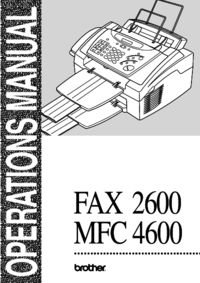
Brother FAX 2600 Specifications (136 pages)
Brand: Brother | Category: Fax machines | Size: 1.93 MB |

Table of contents
17
18
18
20
20
33
43
46
47
49
51
52
53
58
60
61
68
75
76
84
99
101
104
104
104
104
104
112
114
114
116
117
119
120
121
123
124
125
128
129
133
134
More products and manuals for Fax machines Brother
| Models | Document Type |
|---|---|
| MFC-3360C |
Setup Guide
Brother MFC-3360C Setup guide,
24 pages
|
| FAX-T86 |
User Manual
FAX-8360_hu,
111 pages
|
| MFC-7820N |
User's Guide
Brother MFC-7820N User`s guide,
156 pages
|
| FAX5750 |
User Manual
   FAX 4750 FAX 5750 MFC 8300 MFC 8600 MFC 8700,
195 pages |
| 515 |
Specifications
Brother 515 Specifications,
120 pages
|
| FAX-2820 |
Setup Guide
Brother FAX-2820 Setup guide,
12 pages
|
| FAX-817 |
User Manual
 Ingreso de texto,
130 pages |
| FAX-520DT |
Owner's Manual
Brother FAX-520DT Owner`s manual,
83 pages
|
| FAX-202 |
Owner's Manual
Brother FAX-202 Owner`s manual,
99 pages
|
| 575 |
User Manual
MANUAL DE USUARIO,
110 pages
|
| FAX-T94 |
User's Guide
Brother FAX-T94 User`s guide,
166 pages
|
| DCP-165C |
User Manual
MANUAL DO UTILIZADOR,
114 pages
|
| MFC590 | User Manual EDNord - Brother MFC-590 Brugsvejledning Dansk, 166 pages |
| FAX-202 |
Owner's Manual
Brother FAX-202 Owner`s manual,
95 pages
|
| MFC9750 |
Owner's Manual
Brother MFC9750 Owner`s manual [es] ,
96 pages
|
| MFC-7820N |
User Manual
MFC-7820N,
4 pages
|
| DPC-8060 |
User's Guide
Brother DPC-8060 User`s guide,
116 pages
|
| MFC-7240 |
User's Guide
Brother MFC-7240 User`s guide,
144 pages
|
| FAX-931 |
Owner's Manual
Brother FAX-931 Owner`s manual,
159 pages
|
| FAX-817 |
User's Guide
Brother FAX-817 User`s guide,
130 pages
|
© 2020, manymanuals-pt.com. Todos os direitos reservados. | 0.021 s |
 Manymanuals.com
 Manymanuals.de
 Manymanuals.fr
 Manymanuals.it
 Manymanuals.pl
 Manymanuals.cz
 Manymanuals.es
 Manymanuals-pt.com
Comentários a estes Manuais